L.E.A.D. IT launches School IT on a Page app – DfE digital standards tracker

School IT on a Page is a DfE digital standards tracker for schools and MATs. Evidence compliance, cyber assurance and 5-year ICT plans in one place.

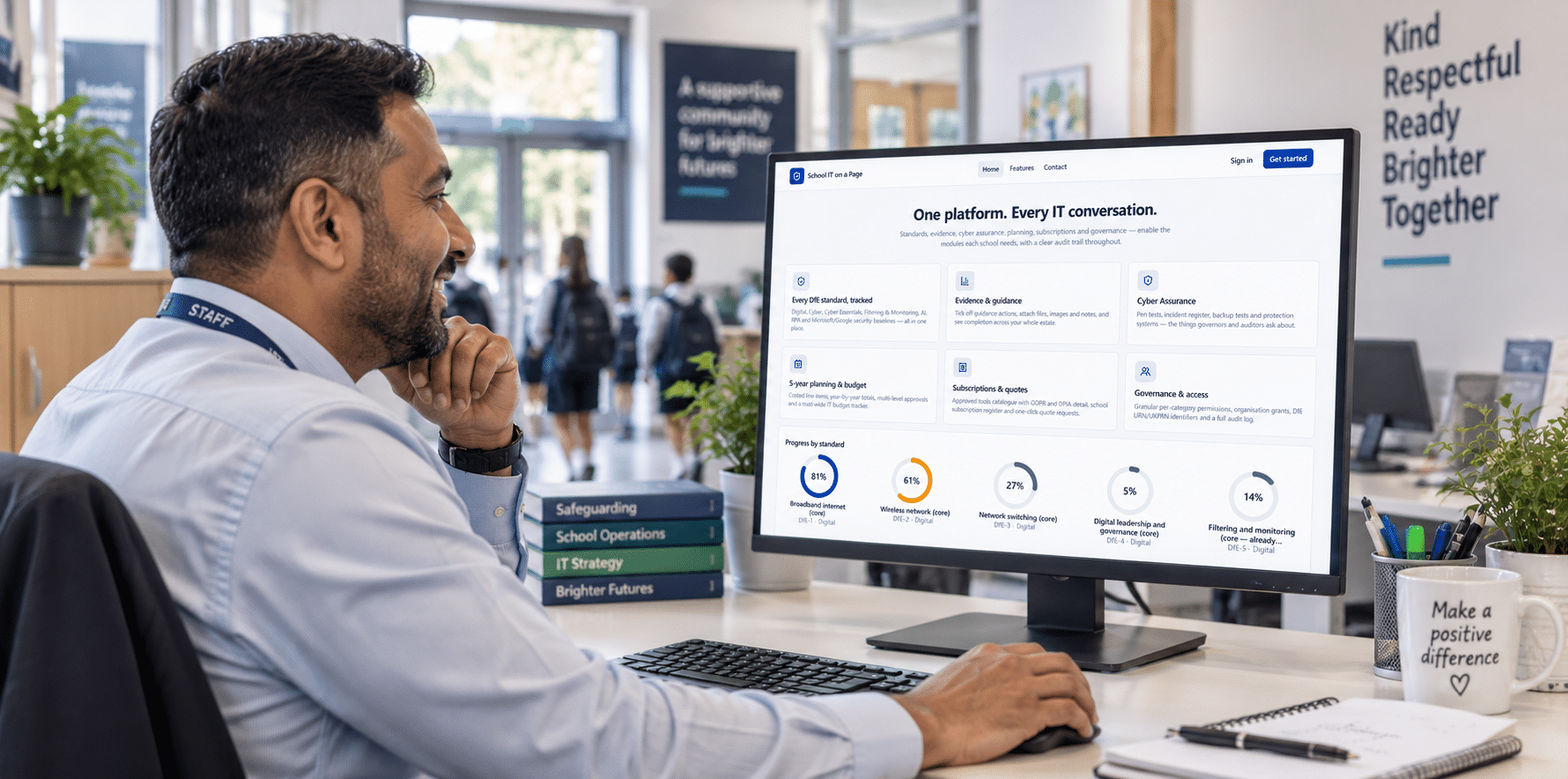
L.E.A.D. IT Services has launched School IT on a Page, a cloud-hosted ICT governance platform built by our in-house education technology experts specifically for schools and multi academy trusts. It gives leaders, governors and auditors clear, evidenced assurance that technology standards are being met using our unique DfE digital and technology standards tracker.

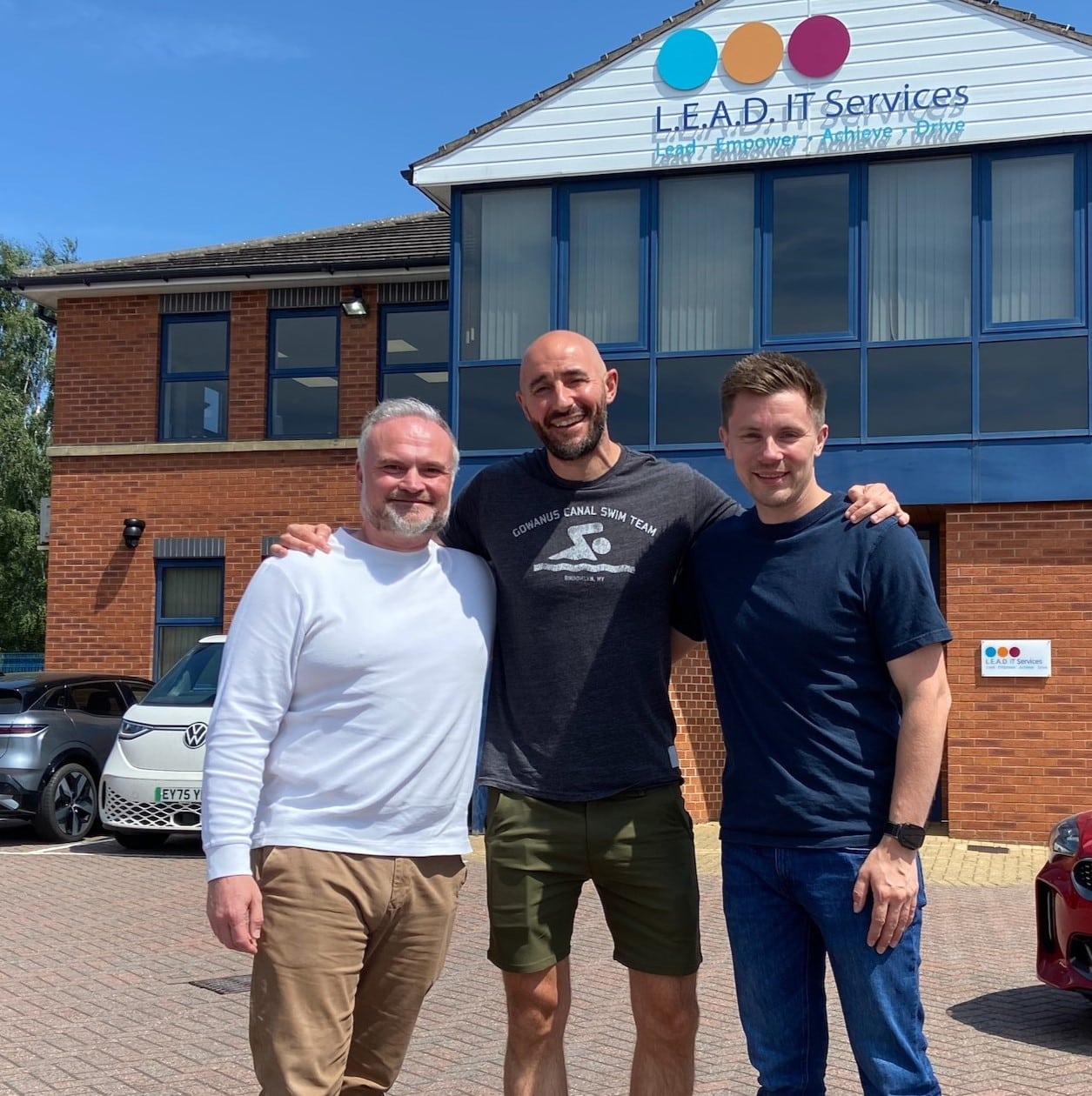
Lee Jepson of L.E.A.D. IT Services with the School IT on a Page DfE standards tracker

The DfE expects all schools and colleges to meet six core digital and technology standards by 2030: broadband internet, wireless networks, network switching, digital leadership and governance, filtering and monitoring, and cyber security. For academy trusts, the Academy Trust Handbook now states that trusts should understand these standards and be working towards meeting them. With 2030 approaching, school and trust leaders need a clear, evidenced picture of where each school stands today and what it will take to close the gaps. That’s why schools need a reliable way to track progress against the DfE digital standards, not a spreadsheet updated once a year.

Lee Jepson LEAD IT Services

"School IT on a Page shows leaders, governors and auditors exactly where every school stands against those expectations, what's been done and what's next, all in one place."

Lee Jepson, L.E.A.D. IT Services

Real-time dashboards can show how an ICT estate is running day to day. But governors, auditors and trust executives increasingly need more than operational visibility. They need proof that DfE digital standards compliance for schools is being met, by whom and when. School IT on a Page was built to provide exactly these needs.

shield_with_heart_24dp_1F1F1F_FILL0_wght200_GRAD0_opsz24_icon

DfE digital standards tracker

Digital, Cyber, Cyber Essentials, Filtering & Monitoring, AI, RPA and Microsoft/Google security baselines — all in one place.

Filtering and Monitoring icon

Evidence & guidance

Tick off guidance actions, attach files, images and notes, and see completion across your whole estate.

Risk Management Icon

Cyber Assurance

Pen tests, incident register, backup tests and protection systems — the things governors and auditors ask about.

calendar icon

5-year planning & budget

Costed line items, year-by-year totals, multi-level approvals and a trust-wide IT budget tracker.

Compliance icon

Subscriptions & quotes

Approved tools catalogue with GDPR and DPIA detail, school subscription register and one-click quote requests.

Cybersecurity icon

Governance & access

Granular per-category permissions, organisation grants, DfE URN/UKPRN identifiers and a full audit log.
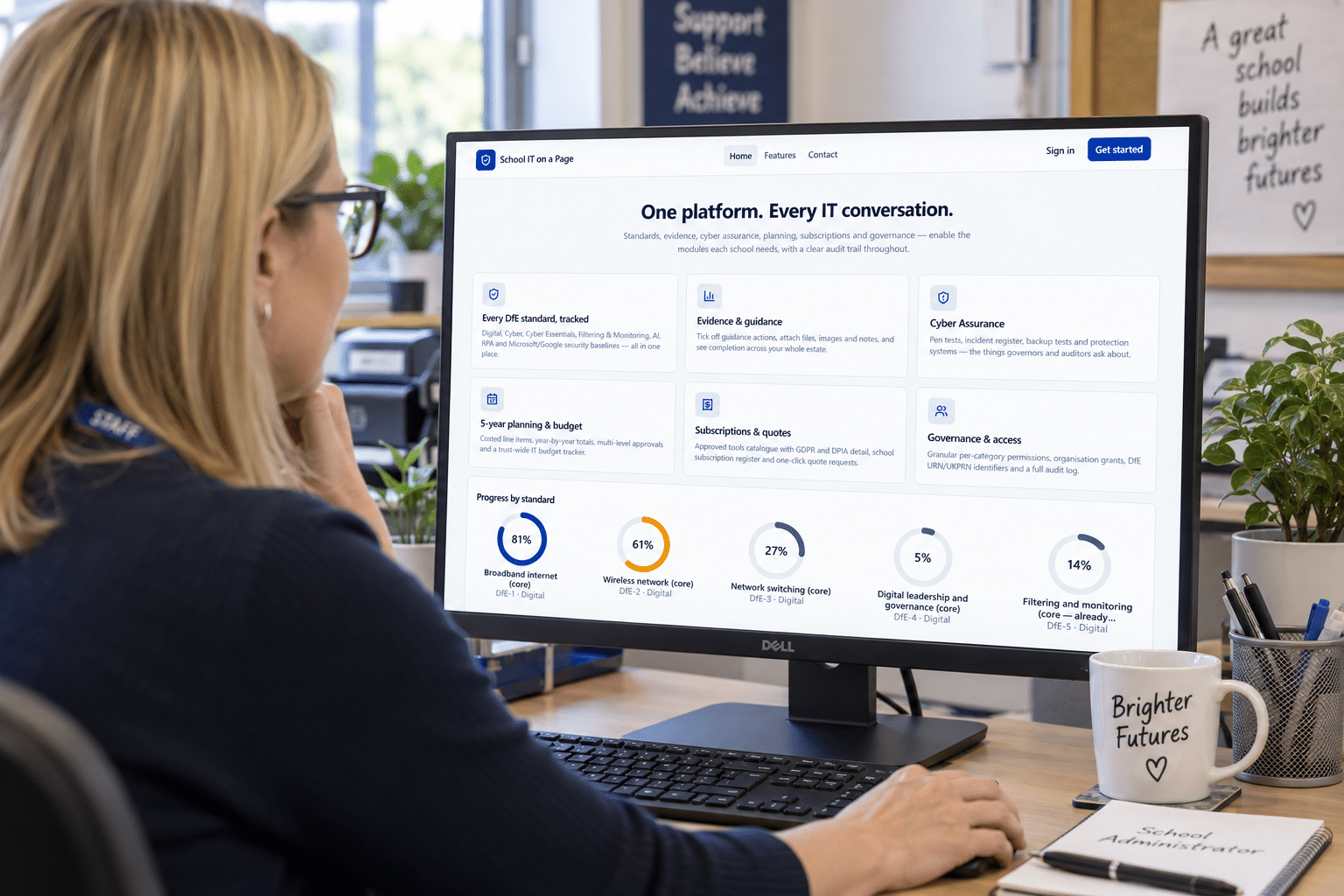
School IT on a Page app tracking progress against DfE digital and technology standards

A DfE digital and technology standards tracker for every school in your trust

The platform brings the key standards and frameworks schools work to into a single place: the DfE digital and technology standards, cyber security, Cyber Essentials, filtering and monitoring, AI, RPA and Microsoft security baselines. Staff can work through guidance actions, attach supporting evidence and track completion. Trusts can see progress across every school from one view.

For schools and trusts working towards Cyber Essentials, the platform provides the governance structure that makes accreditation achievable, maintainable and demonstrable.

Assurance that stands up to scrutiny

School IT on a Page records the cyber assurance activity that governors and auditors ask about most often:

  • penetration test records
  • incident logs
  • backup test results
  • protection system status

All of it is held within a full, immutable audit trail. Every action is logged and every piece of evidence is kept. Granular role-based permissions mean each person sees what their role needs and nothing more, whether that’s a DSL in school, the trust CFO or the governing board.

Planning and procurement, not just compliance

Beyond compliance, the platform supports the financial and operational side of running ICT across a school or growing trust.

A five-year planning module lets leaders build costed, line-item ICT roadmaps. The roadmaps are broken down year by year, routed through multi-level approval and consolidated into a single trust-wide budget view. This gives finance teams and trustees the transparent, evidence-based planning they need, and helps map a realistic, funded route to meeting the core standards by 2030.

A subscriptions and procurement module holds an approved tools catalogue with GDPR and DPIA documentation. It also keeps a per-school subscription register and offers one-click quote requests, so every procurement decision is transparent, compliant and auditable.

School IT on a Page app from LEAD IT Services

Oversight at the click of a button

One-click reports give schools and trusts instant oversight of standards compliance, cyber assurance and subscription tracking. Leaders can produce a clear, up-to-date picture for a governors’ meeting, a trust board or an audit in seconds, without pulling information together by hand. Because every report draws on the evidence and audit trail already held in the platform, the figures are consistent, current and ready to stand up to scrutiny.

Modular and ready to grow

The platform is fully modular and needs no local installation. Each school turns on only the modules it needs now and can add more over time. This makes it suitable for a single school, a small trust or a large and growing one.

“The DfE’s expectations are clear: every school needs to meet the core digital and technology standards by 2030, alongside strong cyber assurance. But tracking and evidencing that progress has been far too difficult,” said Lee Jepson, Director of IT at L.E.A.D. IT Services, who led the design and development of the platform. “School IT on a Page shows leaders, governors and auditors exactly where every school stands against those expectations, what’s been done and what’s next, all in one place.“
DfE Standards Tracker FAQs

For a trust, the challenge isn’t only whether each school meets the standards. Leaders also need to see, at a glance, where the gaps are across the whole estate, and to know that every school is assessed the same way.

In practice, that needs four things:

  1. One consistent framework. Every school is measured against the same standards and actions. Results can then be compared fairly, rather than each school keeping its own spreadsheet in its own format.
  2. School-level ownership with trust-level visibility. Staff in each school update their own progress and evidence. The central team sees every school’s position from one view, without chasing updates by email.
  3. The right access for the right people. A DSL needs to see filtering and monitoring. A trust CFO needs budgets and subscriptions. A governing board needs a summary. Role-based permissions keep each person focused on what they’re responsible for.
  4. Gaps linked to plans and budgets. Knowing that three schools fall short on wireless is only useful if it feeds into a costed plan. The trust also needs to know when each gap will be closed and how it will be funded.

School IT on a Page brings this together for trusts. It offers a trust-wide view of standards progress across every school and a full audit log of who did what and when. Its five-year planning module turns gaps into costed, year-by-year roadmaps, which roll up into a single trust-wide IT budget with multi-level approvals. One-click reports give trust boards and auditors an up-to-date picture without anyone pulling information together by hand.

The DfE’s stated long-term ambition is for all schools and colleges in England to meet the six core digital and technology standards by 2030. It confirmed this ambition in its response to the 2025 consultation, Narrowing the digital divide in schools and colleges.

The six core standards are:

  • broadband internet
  • wireless networks
  • network switching
  • digital leadership and governance
  • filtering and monitoring
  • cyber security

The 2030 target is framed as an ambition rather than a statutory deadline. Even so, several of these standards already carry real weight:

  • Academy trusts: the Academy Trust Handbook states that trusts should understand, and be working towards, meeting the core standards by 2030.
  • Filtering and monitoring: this is closely tied to schools’ safeguarding duties, so governors and inspectors already expect to see it in place.
  • Cyber security: insurers, auditors and the RPA increasingly look for evidence of basic cyber controls such as backups, incident plans and staff training.

With 2030 approaching, the practical question for most schools is not whether to work towards the standards. It’s how far away they are today, and what it will cost to close the gap. Read our full guide to the DfE’s six core digital and technology standards.

Plan technology for your school is a free DfE service for schools and trusts in England. Users sign in with a DfE Sign-in account and complete self-assessments against the digital and technology standards. The service then gives tailored recommendations and lets you track progress against them. Multi academy trusts can now submit self-assessments for more than one school at a time. We recommend every school uses it: it’s free, it’s built around the standards, and it’s an excellent starting point.

School IT on a Page is designed to work alongside it, covering what happens after the self-assessment:

  • Evidence, not just answers. You attach files, images and notes to each action. When a governor or auditor asks you to prove something, the proof is already there.
  • A full audit trail. Every action is logged, showing who did what and when, with role-based permissions controlling who sees what.
  • Wider than the DfE standards. It covers Cyber Essentials, AI, RPA and Microsoft/Google security baselines too, plus cyber assurance records such as penetration tests, incident logs and backup tests.
  • Planning and budgets. Gaps become costed five-year roadmaps with approvals, rolled up into a trust-wide IT budget.
  • Subscriptions and procurement. An approved tools catalogue with GDPR and DPIA detail, and a register of what each school subscribes to.
  • Board-ready reporting. One-click reports on standards compliance, cyber assurance and subscriptions for governors, trust boards and auditors.

In short, Plan technology for your school helps you work out where you stand and what to do. School IT on a Page helps you evidence it, plan and fund it, and report on it across your school or trust.

A DfE digital standards tracker is a tool that records where a school or trust stands against the Department for Education’s digital and technology standards. It shows what has been met, what is in progress and what is still outstanding, and it holds the evidence behind each answer.

The DfE has published 11 digital and technology standards. Six of them are core standards that all schools and colleges are expected to meet by 2030: broadband internet, wireless networks, network switching, digital leadership and governance, filtering and monitoring, and cyber security. Each standard breaks down into specific actions, so tracking them means far more than a yes/no checklist.

A good tracker records, for each action:

  • Status: met, partly met or not started
  • Evidence: documents, screenshots, certificates or notes that prove it
  • Ownership: who is responsible, and who signed it off
  • Dates: when it was done and when it needs reviewing

This turns compliance from a once-a-year spreadsheet exercise into a live record. Governors, trust boards and auditors can rely on that record, and it gives leaders a clear list of what to fix next.

School IT on a Page is a DfE digital standards tracker built for schools and multi academy trusts. Alongside the DfE standards, it covers Cyber Essentials, filtering and monitoring, AI, RPA and Microsoft/Google security baselines.

Written by: Chris Edwards

Published on: 23 September 2026

Categories: News